
Its Here
Virtual Reality
A new dawn for designers
The age of VR is here and when the world’s largest tech organisations are investing billions into VR development, it means it on the verge of becoming mainstream.
T he age of VR is here and when the world’s largest tech organisations are investing billions into VR development, it means it on the verge of becoming mainstream.
It has been said that the VR revolution will be greater than the arrival of mobile phones, and the first organisation to create a truly mass market VR product will cash in, in a very big way.
Designers, why should they care?
The new paradigm of 3D immersive content is rapidly approaching and working in & with VR is extremely new to many.
But as we have seen a huge surge in VR hardware & apps, now more than ever, is really the time for designers to understand what is involved in VR design, to open new doors and get in, ahead of the game.
VR can literally be very eye-opening, but also has the potential to be a little boring. However, no matter what end of the scale you’re at, it’s complex.
Like anything new, but especially with new engagement devices like VR, it can be a little intimidating. But this article will show you how to get started and get rid of the fear.
Expertise is not required but a sense of adventure & willingness to experiment is what you need!
Also don’t be afraid to get involved in the VR community or if you can a VR Workspace, to help accelerate your growth and contribute to the rise of VR. Doing so will open doors and unveil a huge number of opportunities.
2 sides of VR
VR has 2 sides for designers to consider; environments & interfaces.
- The environment is the world you see when you enter VR.
- The interface is what you use to engage, control & navigate that world.
Some VR experiences can be environment focused with no interface, like a Rollercoaster.
Some are all interface and almost no environment, like a Oculus Home UI.
Design Environments & Interfaces
Designing landscapes in VR requires knowledge of 3D modelling tools, which may be out of the comfort zone for many designers. However designing user interfaces for VR could be a big opportunity for UX / UI designers and the best way to enter the world of VR.
VR Interface UI — design process
VR design processes have yet to be defined in the same way as other design disciplines, which means you can push boundaries and could be involved in shaping it.
This creates many opportunities, but also means there is a slight Wild West feel and that can be exciting.
It is suggested that the best place to start, is to approach VR as you would a regular app, where users navigate one phase or page at a time. In this way you can begin with traditional methods:
- Wireframes — design iterations & layouts in rapid iterations.
- Visual Designs — apply style-guides with brand guidelines etc.
- Blueprints — Link pages to establish interactions.
Applying it to VR — Setup
Canvas
A 360 degree canvas can seem intimidating, but for the most part UX/UI designers only need to focus on a small part of this view. Mobile app design has been refined over many years and is great place to start in canvas design for designers new to VR.
 Full-width projection is 360 degree horizontally & 180 vertically, meaning a 3600×1800 px canvas, which can be challenging to work on.
So isolating the interface portion makes it more manageable. This area is one 9th of the 360 environment, right in the centre 1200×600 pixels in size.
So the 2 sizes to note are:
- 360 View — 3600 x 1800 px
- UI View — 1200 x 600 px
Testing
You will need to consider three elements when testing:
- The UI view is the focus of interface design & design flows.
- The 360 degree view is needed to preview the interface design in a VR environment.
- VR headset is required to get a true perspective on proportion while testing.
Tools
There are a number of tools which will be beneficial or necessary:
- Sketch can be used to design interfaces & user flows (there are other apps).
- GoPro VR Player — 360 degree preview to test design in context.
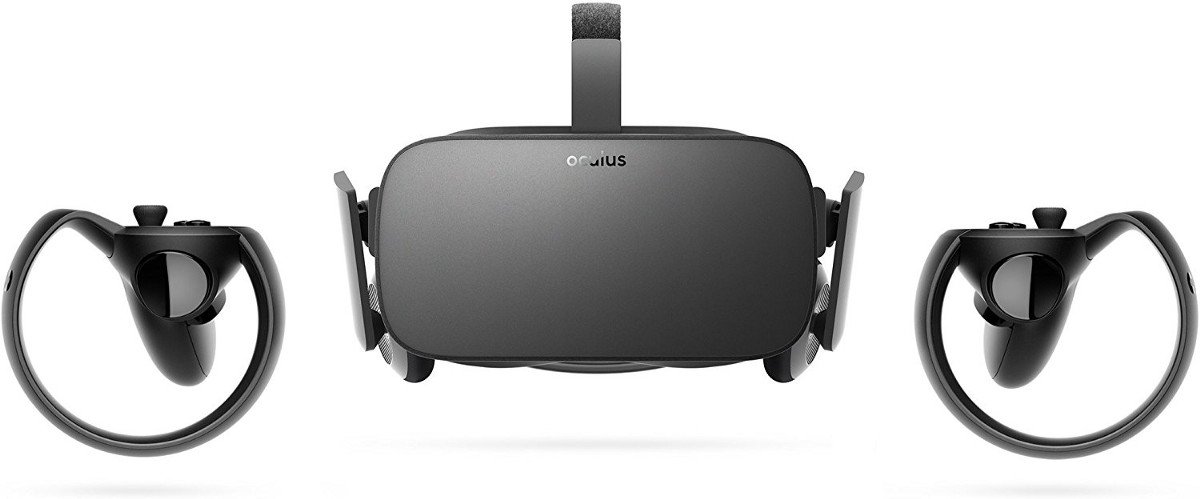
- Oculus Rift — VR kit needed to test the design.
Applying it to VR — Technical considerations
Low resolution
VR headsets are still evolving and currently not much better than a phone’s resolution, which you may think would amazing. But because the display is so close to your eyes, it does not look crisp, as you might expect. It really needs an 8K display and that is way off at the moment.
Text readability
Beautifully designed and sharp UI elements will look pixelated because of the display. As a result text will be tricky to read, so try to avoid big blocks of text and very detailed UI elements.
Applying it to VR — Finishing touches
Blueprint
You will need to use all your UI design views to map & organize your flows into a detailed blueprint / UX map. This will be necessary for developers to understand the architecture / structure of the app.
Motion design
Beautiful UI design only truly works when combined with the required animation.
This can be done using Adobe After Effects & Principle. This may not produce 3D outputs, but should be used as guidelines for the development team and any other interested parties, an opportunity to view the early vision.
VR UI can get complex but how far can you go?
Interfaces
VR sometimes can be so focused on the virtual environment that a regular UI placed on top may not be the best way for the user to interact with the app.
In these scenarios you may want to look at the user engaging with the environment directly.
This opens up designers to a whole new world of UI. Anything in the virtual world can be used as a point for interaction, blending real world scenarios.
Magazine navigation
For example selecting a hotel on booking.com could be done through a virtual magazine.
While relaxing, you could be taken virtually to each destination as you flick through the pages. Much more fun than clicking on a menu.
Amazing possibilities, however to really appreciate the full effect you would need advanced VR hardware and the development time would be substantial, but it opens out a whole new way to think of engagement.
It is also why it is important to educate and experiment early, to develop your skills for this high UI environment.
The Revolution is coming
At the moment most of these experiences are much too expensive to even consider for most companies. You really need to have vast resources to experiment; it’s risky and takes a lot of time.
But it is a great way to showcase that you are at the cutting edge of media, tech & UI.
With VR headsets and even cheap cardboard options, the general user is now becoming more & more exposed and caught up in the excitement of VR. This is beginning to prime the audience / market for VR experiences.
Once a few mainstream companies being to use it as competitive advantage, the floodgates will begin to open. And the first wave of mass market UI in VR will come from traditional wearables UI, before the really exciting alternatives come.
That is the area you should be focusing on initially.
So get Involved
As a designer you should get yourself up to speed & start experimenting, so you are in prime position to ride the early crest of a wave. Hopefully this article will take some of the intimidation out of taking the plunge.
Think of VR in a similar way to mobile UI, clunky and limited at the start, but it will explode all of a sudden, and the people who make the biggest impact, always seem to be at the Vanguard, so make sure you are there!
Future Articles — the Experience Principles
Designing for VR means you have to also design for users capabilities, as much as designing for the system. So it is vital you understand users and issues they may encounter while they experience VR.
There are many ancillary elements to design that you seriously need to consider once you have got your mind around the basics, some you will never have had to deal with before as a designer.
I will cover these in a followup article, covering elements such as:
- Comfort
- 3D sound
- Ergonomics
- Touch
- Input methods & devices
- Emotion
- Depth
… all ingrained in a VR experience, making even the most complex 2D design look a lot easier.
Some resources
VR Design Guidelines
There are a number of resources you could utilise to help your education in VR Design and elevate you above the crowd.
Frameworks
Getting to know the main frameworks is also something you should consider:
- Mozilla A-Frame — Web VR used with Samsung Gear, Google Cardboard and Oculus Rift.
- Daydream VR — Midrange VR (works only with mobile phones)
- Unity VR / Unreal SDK High end headsets including HTC Vive, Oculus Rift and HoloLens (AR).
Experiencing VR is the best way to Learn about Designing for VR
Before starting to think about VR design, you really should experience it first hand, to really get a feel / appreciation for how it works & feels.
It is not going to cost the earth to start, Google Cardboard is a great starting point, cheap and will work with any smart phone. For designers who want to go big and experience high quality, the much more expensive options are of course
With Vive & Oculus you’ll get natural hand controllers, meaning you can interact in VR spaces.
Google Earth VR & Tilt Brush apps from Google, are also great interactive experiences.
Explore, Think, Create
With very few experts & established methods, it makes it a very exciting time for VR. To get involved, is not quite, but almost a blank canvas on which to make your mark.
Beginning now, could mean you’re an expert before most. And if you have gaming and / or architecture experience you’re already ahead of the game. The doors opening to 3D, is the perfect chance to rethink HCI and be at the Vanguard of a new field. So think big and go for it!
